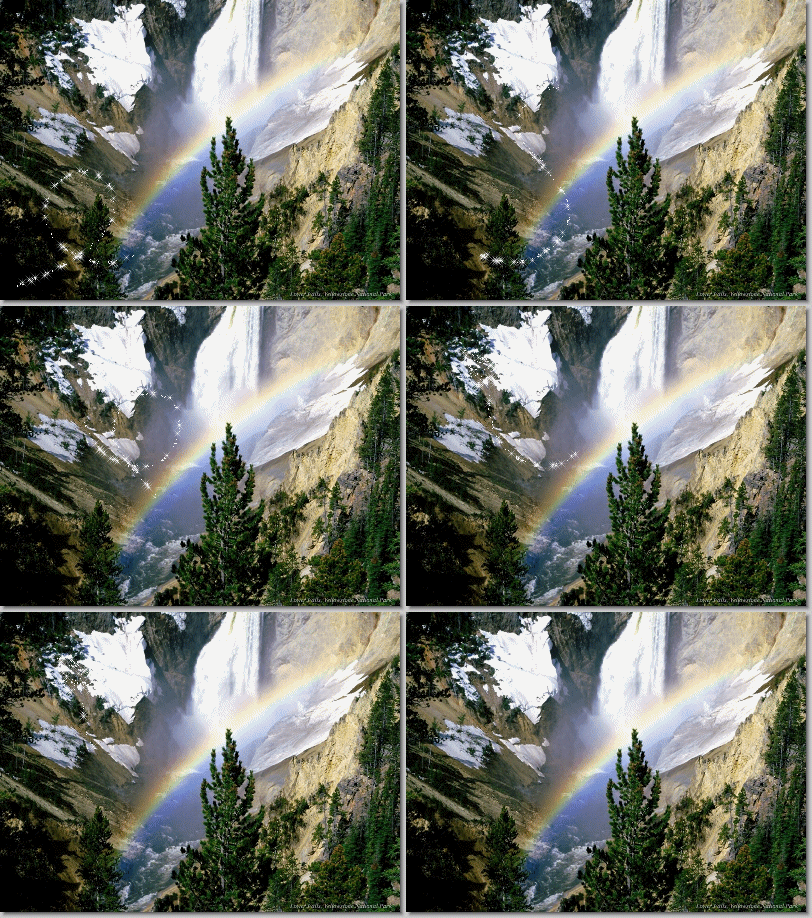
Notes:
This
tut was done in PSP 10 but should work as well in other
versions.
Some knowledge of and experience with PSP is required.
A
trial version of PSP can be downloaded from here.
You are welcome to use my images, or use your
own
If any filters are used, please note that if you don't
already have them installed that you will have to close PSP, Install,
then start PSP again.
Intermediate
Supplies:
A
pic/tube of your choice
Animation
A Bling of choice
Preparation:
You
need to have a completed tag
Step
1:
Take your competed tag
and copy go to animation and paste as a new layer
Put your bling
in animation as a new animation
This is what you should have in
animation now:
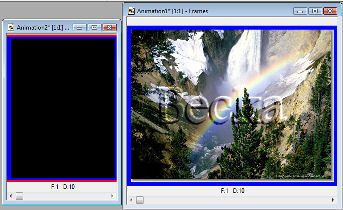
As you can see 2 separate animations :-)
Step
2:
Minimize the tube we are
going to work on the bling.
Delete the
first frame
Stretch out
the box then move the slider over to see how many frames there
are
This bling has 21 now.
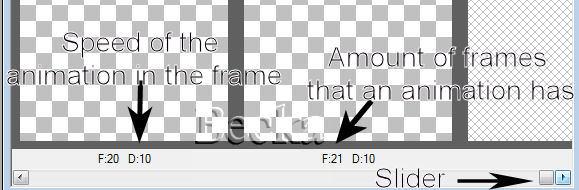
Minimize bling for now
Maximize your tube
Step
3:
Stretch out your tube and you
will see that its just the one frame
Highlight the first frame
Edit/Copy
Edit/Paste/After Current Frame
Edit/Select
All
Edit/Copy
Edit/Paste/After Current Frame
Keep going
until you have 21 frames
Step
4:
Make sure that you have
Onionskin selected in the animation toolbar
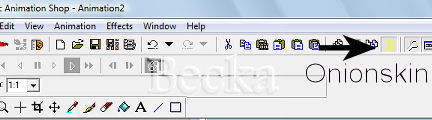
While you have your bling maximized
Edit/Select All
Edit/Copy
Then
Edit/Select All your tag
Edit/Paste/Into Selected Frame
Place
the bling where you would like it to be -- it will move with your
cursor until you left click
View/Animation
If you like the
speed and where it is.. Save :-)
©CreateWithBecka
2009-2011