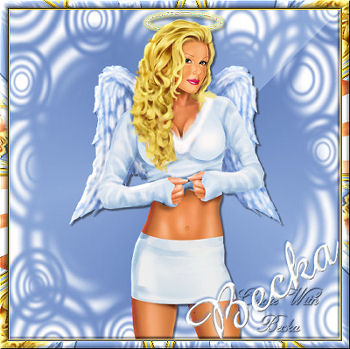
 Notes: Intermediate Supplies: TedHammond_Sexy Angel Xero Amaze - Font Preparation: Pick which Angel that you would like to use, duplicate, Resize to 75% and close the original
450 x 450 transparent image
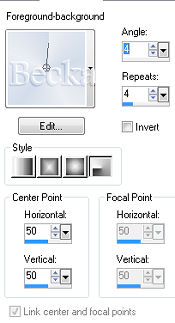
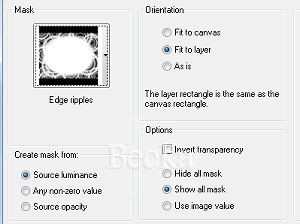
Put your mask into your mask folder if not there already Step 1: Take your 450 x 450 transparent image and flood fill with your gradient
Highlight your tube
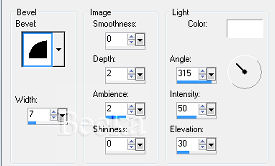
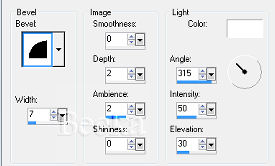
Effects/3D Effects/Inner Bevel
Step 2: Highlight you gradient Layer Step 3: Image/Add borders/2 px/Darker color
Effects/3D Effects/Inner Bevel same as before Step 4: Image/Add borders/12 px/White
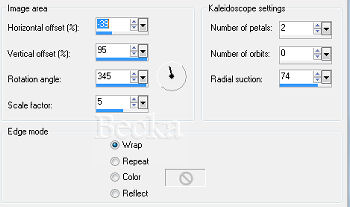
Highlight this border Effects/Reflection Effects/Kaleidoscope
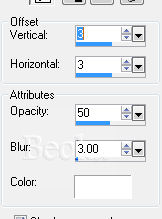
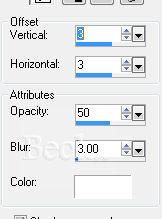
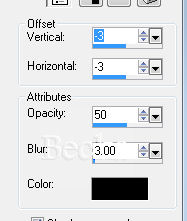
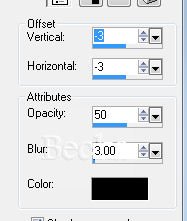
Effects/3D Effects/Drop Shadow/same as before Step 5: Highlight the halo
Selections/Selections All
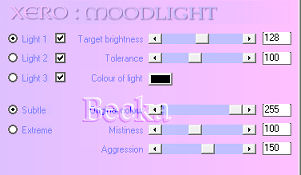
Effects/Plugins/Xero/Moodlight
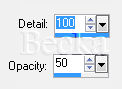
Ajust/Backlighting Step 6: Add Text - settings your choice
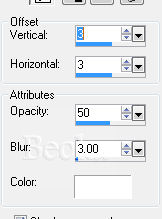
The following steps are for the text Selections All Selections/Float Selections/Defloat Effects/3D Effects/Inner Bevel/same as before Effects/3D Effects/Drop Shadow
Selections/Select None
Add Name - Drop Shadow and inner bevel as your choice -- if desired Layers/New Raster Layer Add watermark Layer/Merge/Merge Visible Resize to 350 x 350 Voila!! ©CreateWithBecka   |
|









Make a Free Website with Yola.
