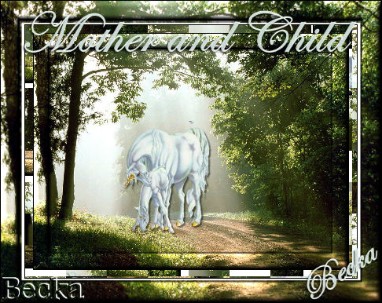
 Notes: Intermediate Supplies: Sunbeams_Percy_Waner_Park_Tennessee WhiteUnicorns VM Distortion
Take your background
Resize to 50% (400 x 300) Edit/Copy Edit/Paste as a New Image Close the original Take your Unicorn Resize to 50% (135 x 145) Edit/Copy Edit/Paste as a New Image Close the original Pick 2 colors from your tube Step 1: Edit/Copy your unicorn
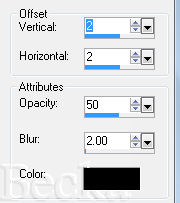
Edit/Paste as a new Layer onto your background Position where you think it looks best Effects/3D Effects/Drop Shadow
Layers/Merge/Merge Visible Step 2: Selections/Select All
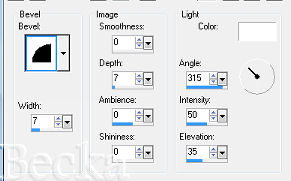
Selections/Modify/Contract/20 px Selections/Invert Apply Drop Shadow -- same settings as before Apply another Drop Shadow - Change the Horizontal/Vertical to -2 Effects/3D Effects/Inner Bevel
Selections/Select All
Selections/Modify/Contract/22 px Selections/Invert Edit/Copy Edit/Paste as a New Image - This is your frame Selections/Select None Step 3: Image/Add Borders/1 px/Black
Image/Add Borders/10 px/White Highlight this border Effects/Plugins/VM Distortion/Tiles a GoGo Width: 32 Height: 0 Randomat 1: 207 Randomat 2: 163 Selections/Select None Image/Add Borders/1 px/Black Image/Add Borders/30 px/White Highlight this border Take the image of the frame and Edit/Copy Edit/Paste Into Selection Selections/Select None Image/Add Borders/1 px/Black Step 4: Add a caption
Objects/Align/Horizontal Center in Canvas Effects/3D Effects/Drop Shadow Add your Name Add Drop shadow and/or Inner Bevel if you like Layers/New Raster Layer Add Watermark Layers/Merge/Merge Visible Image Resize to: 350 on the longest side 4-6-10   |
|

Make a Free Website with Yola.
