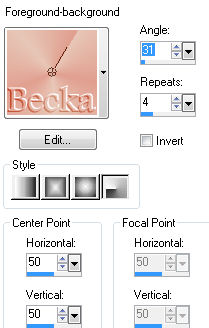
 Notes: Beginner Supplies: AKK~RickChris-Hangin'Out Distort - Twirl Preparation: Open a new transparent image 485 x 450 Transparent image 200 x 200 - Minimize Pick 2 colors from your image Make into a gradient
Open your tube
Duplicate Close the original Step 1: Edit/Paste as a new selection onto your 485 x 450 transparent image
Highlight the tube layer
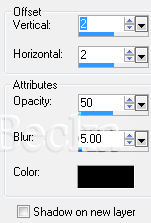
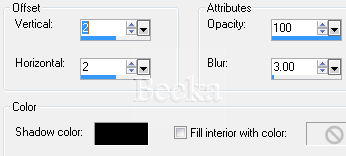
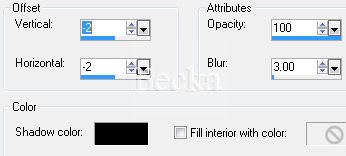
Effects/3D Effects/Drop Shadow
Minimize for now
Step 2: Open your 200 x 200 image
Effects/Image Effects/Seamless Tiling/Default
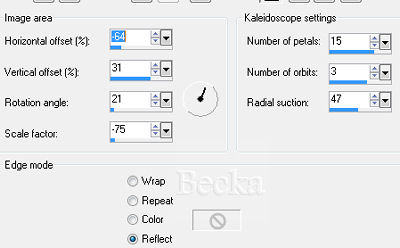
Effects/Plugins/Distort/Twirl Angle: -999 (minus) Effects/Image Effects/Seamless Tiling/Default On your materials palette, and click on 'Pattern' tab, and find the image that was made - this is your swirl
Minimize for now Step 3: On your main image
Re-size your image to 400 on the longest side Image/Add Borders/10 px/White Highlight this border Flood fill with your 'Swirl' Effects/3D Effects/Cutout
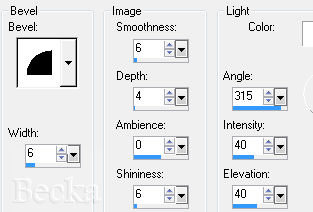
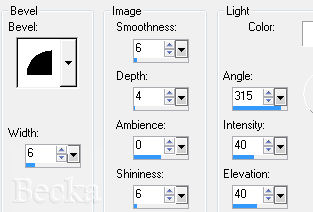
Effects/3D Effects/Inner Bevel/same as before
Deselect Step 4: Image/Add Borders/20 px/White
Deselect
Image/Add Borders/1 px/Black Image/Add Borders/10 px/White Highlight this border Flood fill tool and fill with your 'Swirl' Image/Flip Effects/3D Effects/Inner Bevel
Deselect
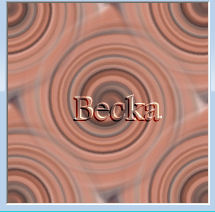
Image/Add Borders/1 px/Black Image/Re-size to 350 on the longest side Layers/New Raster Layer Add Watermark Add Name Add Caption Layers/Merge/Merge Visible Voila!! ©CreateWithBecka   |
|



Make a Free Website with Yola.
