Gradient Making


Notes:
This tut was done in PSP 10 but should work as well in other versions.
Some knowledge of, and experience with, PSP is required.
A trial version of PSP can be downloaded from here.
You are welcome to use my images, or use your own
If any filters are used, please note that if you don't already have them installed that you will have to close PSP, Install, then start PSP again.

Steps To Take

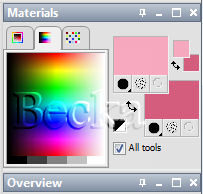
Take any 2 colors and place them in your 'Materials' palette
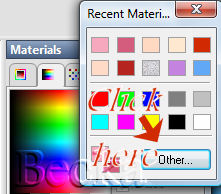
Right click on one of the boxes and click 'Other'

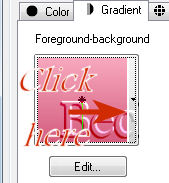
A dialog box will appear... click on the 'Gradient' tab

Click on the arrow next to 'Angle' and choose 'Foreground/background' and choose the settings that look good to you

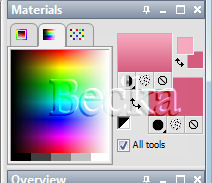
Click on ok and your colors will now be a Gradient in your 'Materials' palette

These gradients are easy and fun to use..
You can place them either in your Gradients folder, or on your hard drive or on your external -- Which is where mine are, I just put them in the folder.

Just remember that when you add them and other things like filters and such that you will need to tell PSP where all to look for your gradients, then you will need to close PSP, and then reopen it.  This will let PSP read the new information.


©CreateWithBecka
11-22-09


Gradients Supplies.zip Gradients Supplies.zip
Size : 16.492 Kb
Type : zip
Make a Free Website with Yola.