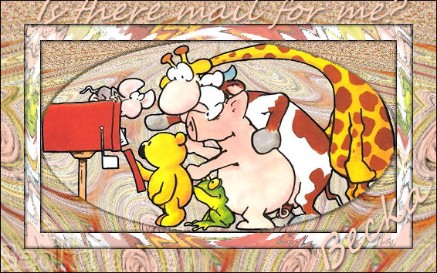
 Notes:
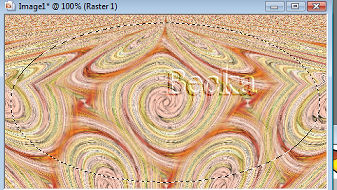
This tut was done in PSP 10 but should work as well in other versions. Advanced Supplies: Animalmisc_ljv_jazzl_01 Simple Filter Filters Unlimited Preparation: Edit/Copy your animal tube Step 1: Layers/New Raster LayerPick 2 colors from your image Flood fill your background with 1 of the colors Layers/Arrange/Send to Bottom Highlight the tube layer Effects/Image Effects/Seamless Tiling/Default Layers/Merge/Merge Visible Effects/Plugins/Simple/4 Way Average Effects/Distortion/Twirl - 720 Effects/Image Effects/Seamless Tiling/Default Effects/Geometric Effects/Pentagon/Wrap
Step 2: Edit/CopyEdit/Paste as a new Image Minimize 1 Effects/Plugins/FFG???/Auto Elipse/ All settings 255 Except Inner Transparency: 0 If you do not have this filter: Click on the Elipse tool Start at the top and pull down and out until you get the desired size
Highlight the oval
Selections/Modify/Expand/3
Edit/Copy your background - the copy
Layers/New Raster Layer
Edit/Paste Into Selection 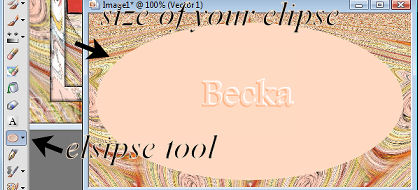 Lower the opacity to 60%
Edit/Copy your animal tube
Layers/New Raster Layer
Edit/Paste Into selection
Effects/3D Effects/Drop Shadow 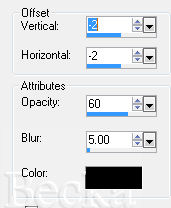 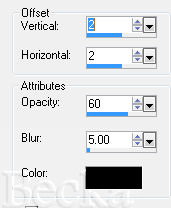 Highlight your Raster 1 layer
Effects/3D Effects/Outer Bevel 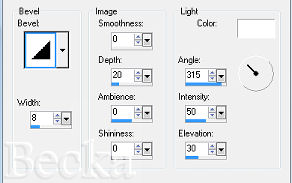 Step 4:
Image/Add Borders/1 px/Black
Take your animal tube
Effects/Image Effects/Seamless Tiling/Default
Lower the opacity to 60%
Layers/New Raster Layer
Make sure that Raster 1 is the top layer
Effects/Image Effects/Seamless Tiling 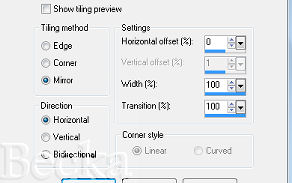 Step 5:
Back to your main image
Image/Add Borders/20px/White
Highlight this border with your magic wand
Add the same 2 Drop Shadows that you did before
Edit/Copy your copy of the animal tube
Layer/New Raster Layer
Edit/Paste Into Selection
Lower the opacity to 50%
Effects/Plugins/I.C. Net Software/Filters Unlimited/Distortion Filters/Radial Waves
Frequency: 122/Amplitude: 157
Selections/Select None
Image/Add Borders/1 px/Black
Step 6:
Image/Add Borders/30px/White
Highlight this border with your magic wand
Add the same 2 Drop Shadows that you did before Edit/Copy your background
Edit/Paste INTO Selection
Selections/Select None
Image/Add Borders/1px/Black
Step 7:
Layers/New Raster Layer
Add Watermark
Add a caption
Add Name
Layers/Merge/Merge Visible 4-18-10   |
|

Make a Free Website with Yola.
