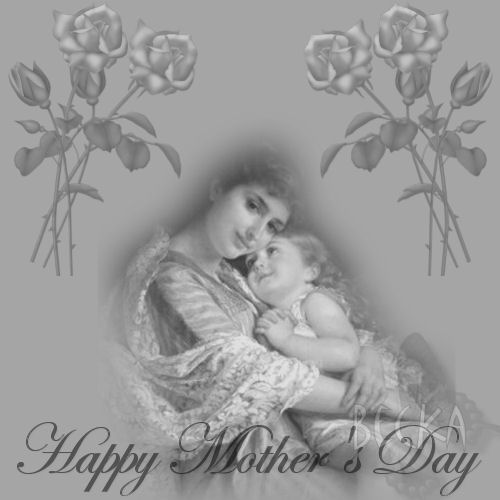
Notes:
This tut was done in PSP 10 but should work as well in other versions.
Some knowledge of, and experience with, PSP is required.
You are welcome to use my images, or use your own
If any filters are used, please note that if you don't already have them installed that you will have to close PSP, Install, then start PSP again.
Supplies:
MKM Nov Series ©Emile Munier_3T
AR315_VM_Rose
Preparation:
Pick 2 colors from your image (I chose #000000 and #d8d8d8)
Make a gradient with these 2 colors
New Image 800 x 800
Step 1:
Flood fill with your lighter color
Layers/New Raster Layer
Take the woman image
Edit/Copy
Edit/Paste as a New Layer
Step 2:
Click on your Move Tool
Make sure that you are on the top layer
Move to the middle
Image/Greyscale
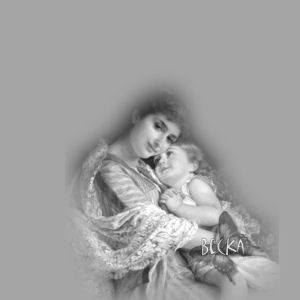
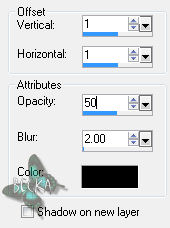
Effects/3D Effects/Drop Shadow
Effects/3D Effects/Inner Bevel

Step 3:
Take the flower image
Edit/Copy
Edit/Paste As A New Layer
Move to the upper left corner
Effects/3D Effects/Drop Shadow
Lower the opacity to 30
Effects/3D Effects/Inner Bevel

Step: 4
Go to the Layer Pallet
Right click and duplicate
Take the move tool and move to the right a little bit
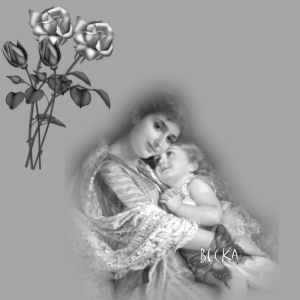
Close the bottom 2 layers
Layers/Merge/Merge Visible
Open the bottom 2 layers
Go the layers Pallet and duplicate
Image/Mirror
Step 6:
Layers/New Raster Layer
Add Watermark
Layers/New Raster Layer -- Optional
Add a Caption -- Optional
Layers/Merge/Merge Visible
Re-Size to 500 on the longest side - if needed
®©CreateWithBecka
5-12-12


