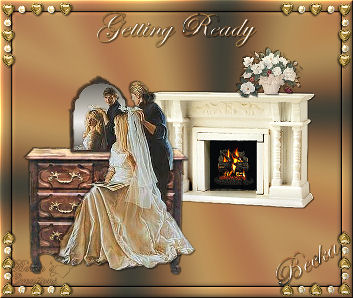
Getting Ready


  Notes:
This tut was done in PSP 10 but should work as well in other versions.
Some knowledge of, and experience with, PSP is required.
A trial version of PSP can be downloaded from here.
You are welcome to use my images, or use your own
If any filters are used, please note that if you don't already have them installed that you will have to close PSP, Install, then start PSP again.
 

Intermediate

Supplies:
fireplace2
8
DL_GT_MgnoliaBoutuet3
yhst-62753665613048_2109_184715
Wedding
Furniture005_dede
Eye candy 3.0
Eye Candy 4.0
Plugin Galaxy

Preparation:
Transparent 600 x 500 Image
 
Edit/Copy
Edit/Paste as a New Image - all images
 
Put Forest Monkey into your gradient folder
 
Step 1:
On your transparent image
Edit/Copy the fireplace
Edit/Paste as a New Layer
Image/Re-size to 35% or what looks good to you
Place in the middle
Effects/3D Effects/Drop Shadow
 

Step 2:
Take the Flowers
Edit/Copy
Edit/Paste as a New Layer
Image/Re-size to 20% or what looks good to you
Place on top of the fireplace
Effects/3D Effects/Drop Shadow
 
Step 3:
Make sure that you are on the fireplace layer
Take your magic wand and select the black space
Take the yhst image
Edit/Copy
Edit/Paste Into Selection
Selections/Select None
 
Step 4:
Take your Bride image
Edit/Copy
Edit/Paste as a new Layer
Effects/3D Effects/Drop Shadow
Take the dresser
Image/R-size to 90%
Edit/Copy
Edit/Paste as a new Layer
Layers/Arrange/Move Down
Place the dresser so that it looks like the mirror is sitting on it.
Effects/3D Effects/Drop Shadow
Layers/Merge/Merge Visible
Close off the merged layer
 
Step 5:
Layers/New Raster Layer
Close off the merged layer
Flood fill with your gradient

Layers/Arrange/Send to Bottom
Adjust/Blur/Average

Effects/Plugins/Plugin Galaxy/Instant Mirror
Filtering: Checked
Crossing Top
Effects/Plugins/Eye Candy 4/Squint
Radius: 16.00
Edit/Copy
Effects/3D Effects/Inner Bevel


Step 6:
Layers/New Raster Layer
Flood fill with White
Lower the opacity to: 15
Image/Add Borders/1 px/Black

Step 7:
Image/Add Borders/20 px/White
Highlight this border
Edit/Paste Into Selection
Effects/3D Effects/Drop Shadow
Effects/3D Effects/Inner Bevel
Selections/Select None

Step 8
Take your corner
Edit/Copy
Edit/Paste as a new Layer
Image/Re-size to 70%
Place in the upper left hand corner
Effects/3D Effects/Drop Shadow

Effects/Plugins/Simple/Top Left Mirror
Effects/3D Effects/Inner Bevel

Step 9:
Layers/New Raster Layer
Add Watermark
Add caption
Effects/Effects/3D Effects/Drop Shadow

Add Name
Effects/3D Effects/Drop Shadow
Layers/Merge/Merge Visible
Image/Re-Size to: 350 on the longest side


 ®©Create With Becka
2009-2011
7-27-10

Getting Ready Supplies.zip Getting Ready Supplies.zip
Size : 2105.468 Kb
Type : zip
Make a Free Website with Yola.